




If you owe Alabama state taxes, you don't need to write a check or mail anything in. The Alabama Department of Revenue makes it easy to pay directly online through their MyAlabamaTaxes portal — and if you use a checking or savings account, there's no fee to do it.
Here's exactly how it works, step by step.
Have these four things handy before you begin:
Head to https://www.revenue.alabama.gov/ and click on "MyAlabamaTaxes" in the top navigation bar.
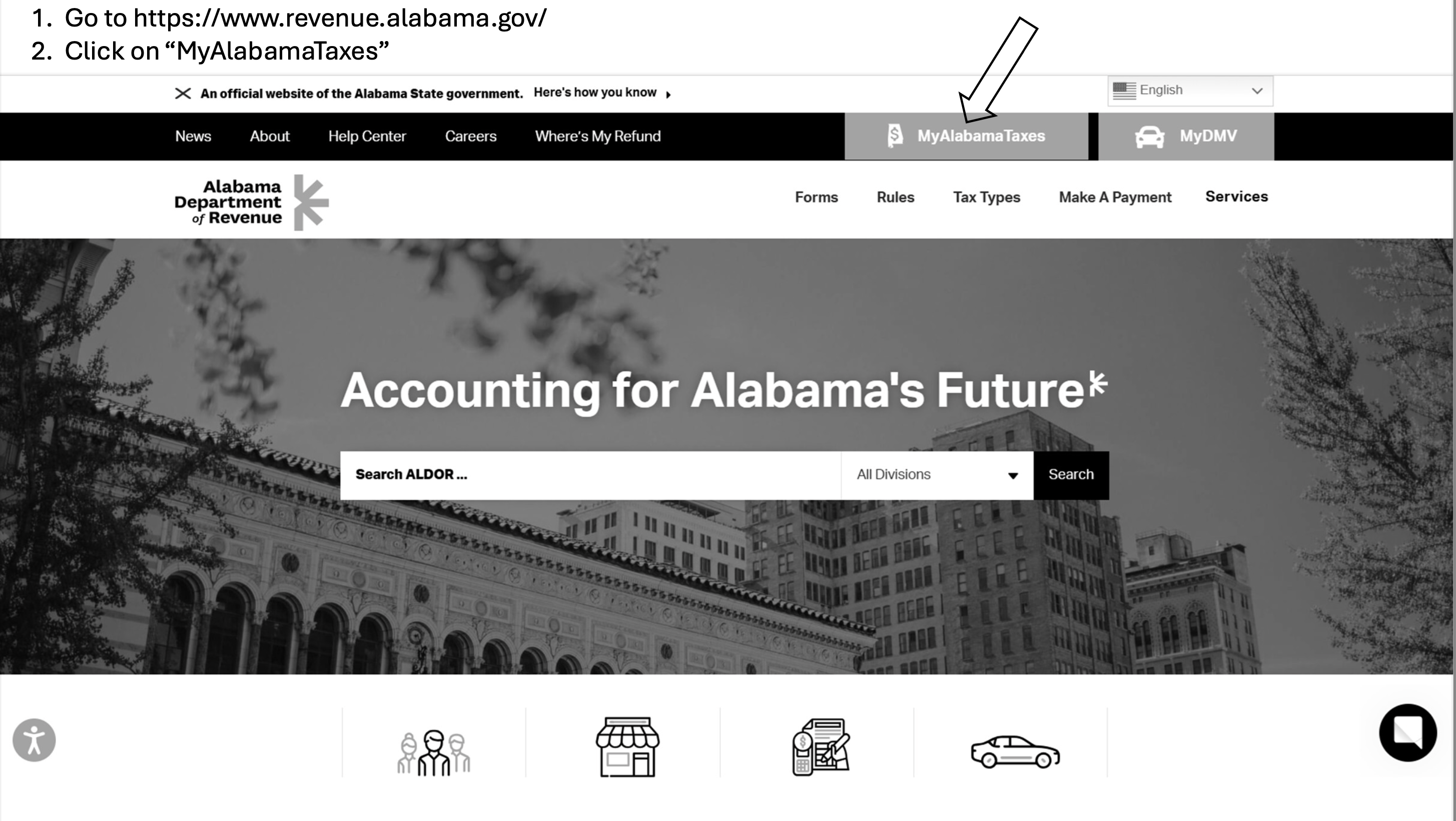
Once you're on the MyAlabamaTaxes portal, look under the Payments section and click "Make a Payment." You don't need to sign in to an account to use this option.

The first screen gives you a checklist of what you'll need — bank information, filing period, payment type, and your SSN or tax account number. Make sure you have everything ready, then click "Next" to proceed.

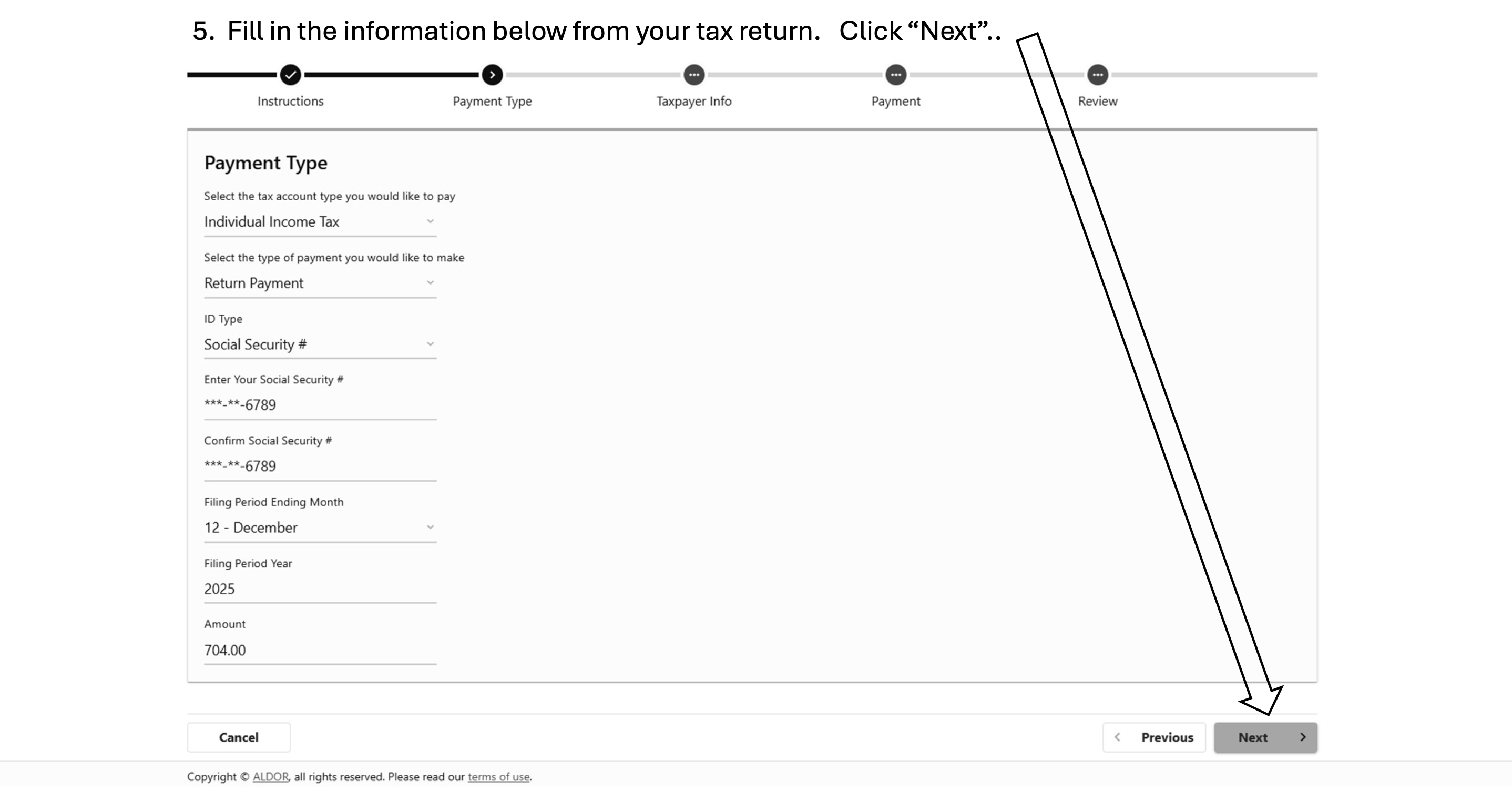
On this screen you'll select your payment details. Fill in the following from your tax return:
When everything looks right, click "Next."
This screen asks for your name and address. Make sure everything matches what's on your Alabama tax return exactly, then click "Next."

Here you'll choose how you want to pay. A couple of important notes:
Enter your bank routing number and account number, confirm the payment date and amount, then click "Next."

Take a moment to review everything on the summary screen — your name, account type, payment type, filing period, bank name, and amount. If it all looks correct, click "Submit."

After submitting, you'll have the option to enter your email address to receive a receipt. You can also print a copy directly from the confirmation screen. Save it for your records.